
Consider asking your teachers to Evaluate their Students #
As Da Capo Inventory helps teachers to keep accurate records (and to remember details from before the summer!), there is a system in place to help them to evaluate their student’s progress from year to year (or month to month). When teacher’s save a student evaluation of a rising ‘building senior’, the next building’s teacher can see their Incoming Student’s evaluations to plan for their following school year. You can see more details on this feature here: Student Evaluation System. You can also consider asking teachers in your feeder buildings to rank their students. Details for the student ranking system (new March 2026) are here: Student Ranking System.
Prepare for the rollover #
Before the beginning of a school year, Directors of Music should run the ‘Year-End Roll over’ procedure. This will advance all students by one grade and place students who are changing buildings into the next building.
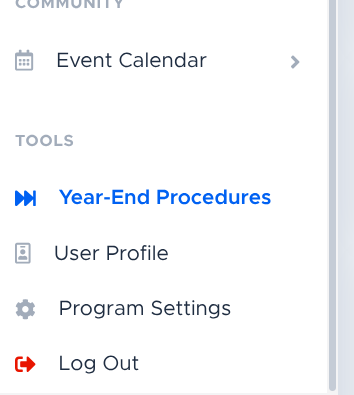
After switching over to “Director of Music” access, click Year-End Procedures near the bottom of your left main menu.
Important: View the chart at the bottom of the ‘Year-End Procedures’ page and pay attention to the “Still Assigned Top Grade”. If all of these are Zero, you’re all set! If they are not all Zero, you may wish to reach out to your teachers and ask them to follow up with their upperclassmen and mark the instruments as returned. If the instrument from a ‘top grade level’ student, the teacher in the lower building can still see the rental and mark it returned from their Inventory screen.

- If the Orange Text (Next building) is not accurate, please reach out to Da Capo Support before you do your rollover.
- If your feeder schools split their rising students into multiple buildings, you will have to forward a list to Da Capo containing a list of the students who have to be placed into a different building. You should forward this document after you complete your rollover.
- For example, if some students from above go from Alfano Elementary to a Different Middle School, please share a list of students who will be attending that Different Middle School with Da Capo Support. The file you share should have two (2) columns. 1. District Student ID Number, 2. Correct Building Name.
I recommend that you download at least one report: Rentals Not Yet Returned, and pay attention just to the upperclassmen of each building.

Do the rollover #
Once all of the ‘Top Grade’ students are Zero – OR once that’s at an acceptable number – and you’ve downloaded the ‘Rentals Not Returned’ report, you can click ‘Do the Annual Rollover Now’. The process takes less than 3 seconds, and your district will be moved up to the next school year!
Another important thing to note for High Schools (maybe Middle Schools also), is that student fundraising ledgers for ‘building seniors’ will be set to zero, as all of their balances will revert to the building’s general fund ledger. Monies can be transferred to a sibling or a friend’s ledger if needed – before the rollover.
N.B. If the instrument from a ‘top grade level’ student, the teacher in the lower building can still see the rental and mark it returned from their Inventory screen.

Troubleshooting #
If something appears to go wrong during the rollover, please reach out to Da Capo Support and ask for assistance.
Importing Students After Rollover #
After completing your rollover, you may need to import your next group of beginner students from your School Information System (SIS) into Da Capo Inventory.
NEW for 2025: Da Capo Inventory now offers an automatic SYNC feature! With this feature, you no longer need to manually upload student data. Instead, you can enable a nightly automated sync between your SIS (such as PowerSchool, Infinite Campus, etc.) and Da Capo Inventory.
This feature is available as an add-on and includes an annual fee.
To learn more or request activation, please contact Da Capo Support.