
After parents have completed the Pre-Registration of their child’s state adjudication form, there is one more step to officially register the student.
It is important for teachers to review the accuracy of all information before the student is officially registered in the Da Capo Music Festivals Registration System.
Using Da Capo Inventory, you can:
- Update / Modify Pre-Registrations
- Approve Pre-Registrations
- Void Pre-Registrations
- Submit Pre-Registration Data to Da Capo Music Festivals
- Once submitted, all changes must occur on Da Capo Music Festivals!
Using Da Capo Music Festivals, you can:
- Handle everything else after you submit the pre-registration data
- View Playing Permits
- View Schedules
- View Ratings
When viewing the Pre-Registration Page: #
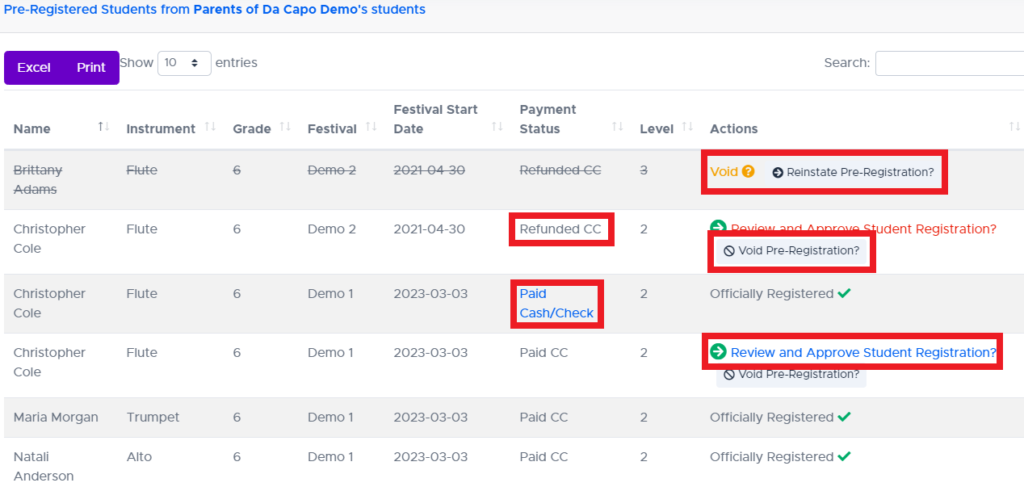
- Void a pre-registration. This will show the parent that the Pre-Registration has been cancelled. No information will be sent to Da Capo Music Festivals.
- Reinstate a voided pre-registration. This will allow the teacher to Review and Approve the registration.
- View payment status. If the parent paid with Cash/Check/Money Order, you can click the payment status and enter in details about the transaction.
- Review and Approve the Registration (below)
Approval Page Section 1: #
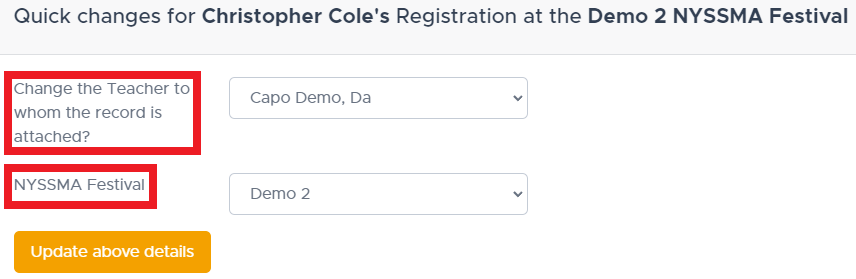
- If the parent selected the wrong teacher, that data element can be updated here. The new teacher you select will see the pre-registration information on their dashboard.
- If the parent selected the wrong State Festival, that data element can be updated here.
Approval Page Section 2: #
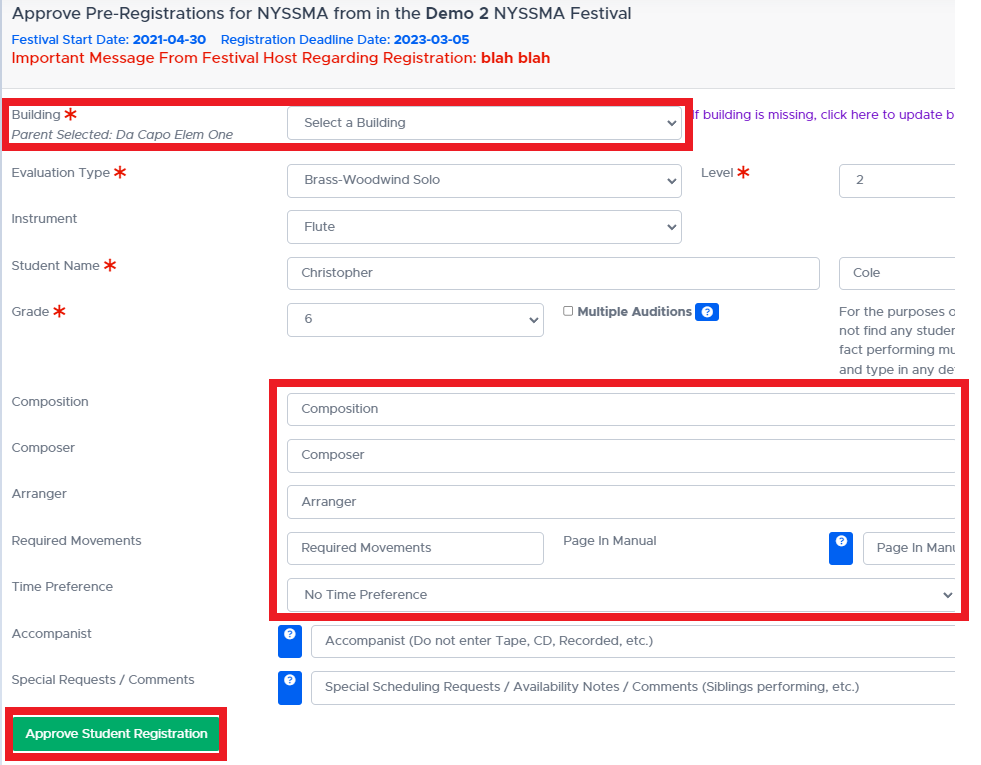
- Once a teacher verifies the correct Building, Composition, Composer, Arranger, etc., the registration can be Approved. Once the ‘Approve’ button is hit, the data is immediately sent to Da Capo Music Festivals and the student is registered. If your school district accepted payment online, there is no bookkeeping for you to deal with. All transaction details can be accessed by your Department Leader.
- If any changes or updates are required, they can be handled on DaCapoMusicFestivals.com